PostDOF Script 0.2 for Blender
-What this script does?
-The script postprocess a rendered image(with Blender) blurring in base of the z-depth of the current scene. Requires PIL(Python Image Library) www.pythonware.com
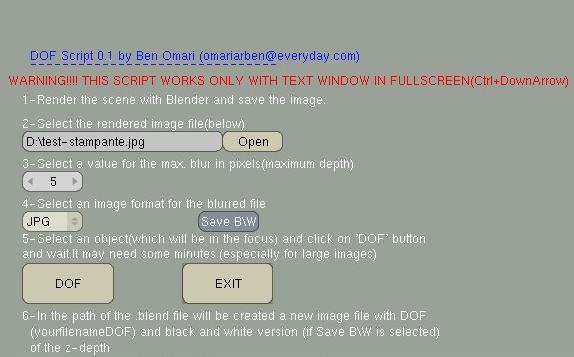
-How this script works?
-THIS WORKS ONLY IF THE TEXT WINDOW IS IN FULL SCREEN.
(mouse over the text window and press Ctrl + DownArrow)
1 -Render the current scene an save the image.
2 -Press the button "open" and select the rendered file image
3 -Insert an int value for the maximum blur.Its the blur for the maximum depth.
4 -If select the "Save B/W" toggle button in the same path of the original image
will be saved a grayscale image (named bw.jpg) of the zdepth.
5 -Select an object which will determine the focus distance from camera.
6 -Click on "DOF" button and wait ...It may need some minutes,especially for the large images.
The script exit when finished.Check the console for confirm
Get PostDOF script
example